Best AI Clipping Tools for Volume (2026): Opus Clip vs. Vizard at Scale
If you process lots of long source video every month, default to Vizard for minutes-per-dollar and multi-account publishing — Creator ships 600+ processing minutes/mo at the same ~$29/mo ($14.50/mo annual) price point where Opus Pro includes ~300. Choose Opus Clip when you want a cheaper watermark-free entry (Starter ~$15/mo) or Premiere / DaVinci export on Pro. Do not buy both. Feature head-to-head: Opus Clip vs. Vizard.
Workflow steps
The steps in order. High-volume clipping pipeline without overbuying seats.
- Queue webinars / long uploads
- Volume pass on Vizard (minutes lead)
- Captions + multi-account polish
- Batch export / schedule
- Optional: Descript only for messy masters
What we checked ourselves
- Volume job: Queuing multi-hour webinars / podcasts is where minutes allotment stops being marketing copy. Vizard’s published Creator minutes band is why it leads this page for high-volume processing.
- Opus still wins when you need a cheaper watermark-free entry (Starter) or Premiere / DaVinci finish — volume is not the only buyer job.
- Do not buy both for the same seat. Pick the minutes thesis or the NLE-finish thesis, then optional Descript only for messy masters.
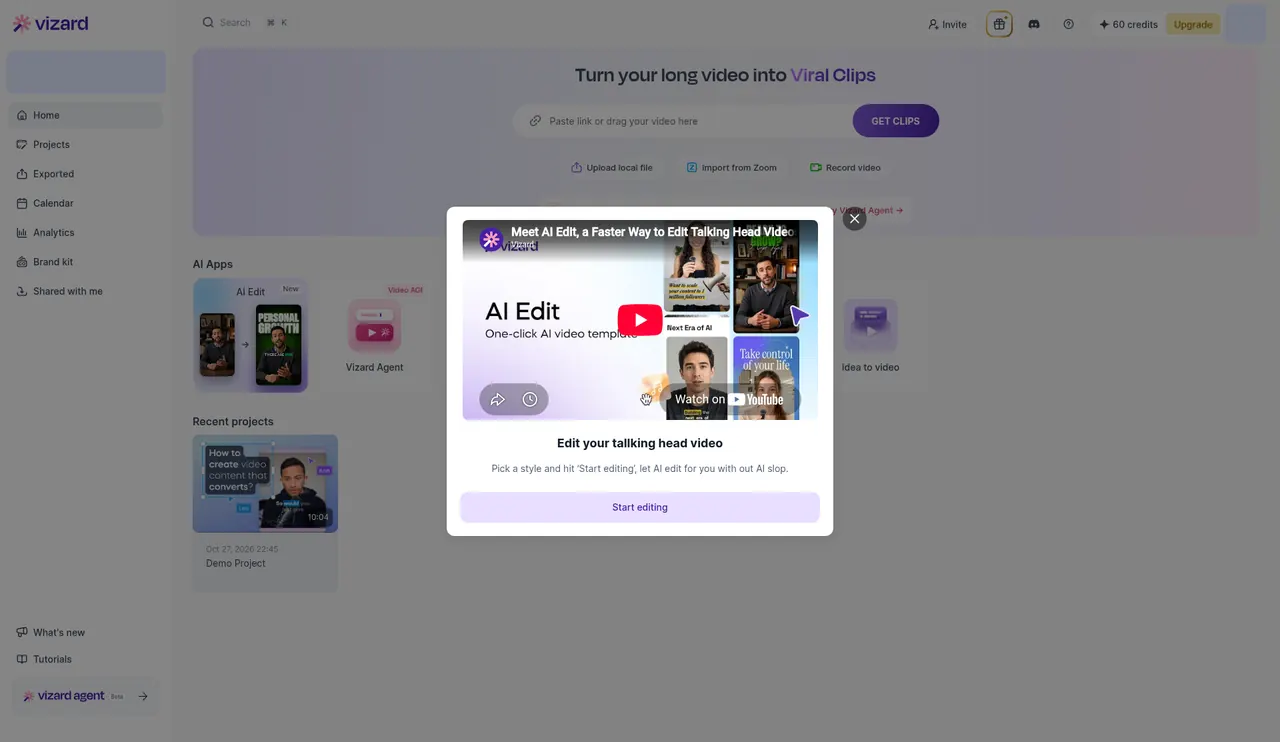
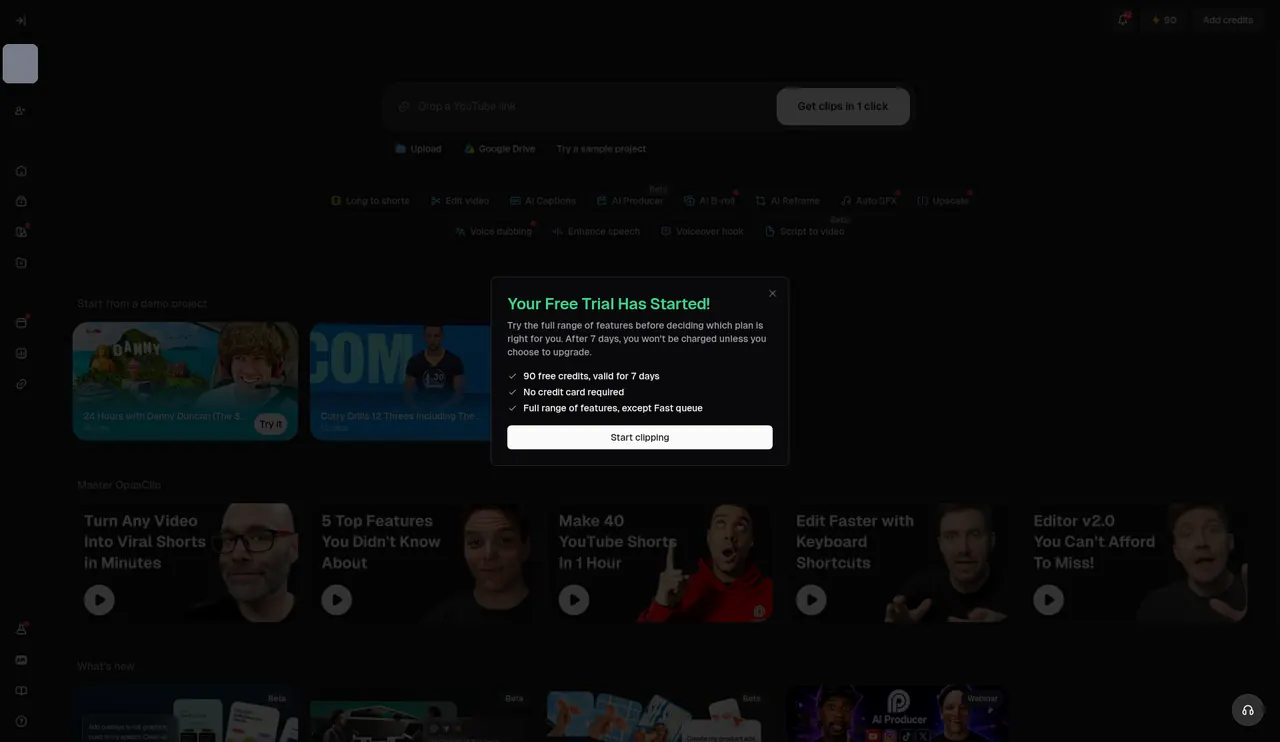
Real screenshots from our own free accounts, opened Oct 27, 2026 CT with no card. They show the plan and allowance each account started with. We have not run a full project through these tools yet, so we do not rate output quality here.
Most “best AI clipper” posts stop at virality scores and free trials. Volume buyers have a different constraint: minutes of source video per month, how many accounts you publish to, and whether clips leave the tool into a real editor. This page is that money fork — Opus Clip vs. Vizard at scale — not another generic long→short tutorial. For the end-to-end pipelines, use long video → Shorts and webinar → clips.
What “volume” means here
You are a volume buyer if any of these are true:
- Weekly or biweekly webinars / Zoom replays that must become 8–20 clips each.
- A podcast or stream that ships a YouTube master plus a Shorts batch every episode.
- An agency or multi-brand seat that needs multi-account scheduling.
- You regularly burn through a few hundred processing minutes and care about $/minute, not just $/seat.
If you clip one video a month for fun, stop here and use a free tier or Opus Starter — you do not need a volume thesis.
Volume lead: Vizard
On published ATI snapshots (checked Oct 26, 2026), Vizard Creator prices like Opus Pro (~$29/mo or ~$14.50/mo billed annually) but includes 600+ processing minutes/month versus Opus Pro’s ~300. That gap is the whole volume argument. Business (~$39/mo / ~$19.50 annual on the same snapshots) adds seats at a modest increment when a team shares the queue.
Why Vizard leads this page:
- Minutes-per-dollar for webinar and long-podcast dumps.
- Multi-account publishing when you ship the same clip pack to several brands or clients.
- Uncapped export length on paid plans (free tier still caps — upgrade before a 90-minute master).
Vizard is also the volume lead on our webinar → clips workflow. If your primary feed is messy Zoom audio, clean once (optional Descript) then let Vizard burn the minutes.
See Vizard's plansWhen Opus Clip still wins
Opus Clip remains the better buy in two volume-adjacent cases that are not “most minutes”:
- Cheapest watermark-free entry. Starter ~$15/mo removes the watermark with 150 credits/mo — Vizard has no equivalent low-cost tier on ATI snapshots.
- Editor handoff. Pro (~$29/mo or ~$14.50 annual) exports into Adobe Premiere Pro and DaVinci Resolve, includes Virality Score ranking, and ships a 2-user workspace — ideal when a human polish pass is non-negotiable.
Opus Pro’s ~300 minutes/mo is enough for many weekly YouTube → Shorts creators. It is not enough if you ingest multi-hour webinars every week — that is Vizard’s lane. Full feature and pricing matrix: Opus Clip vs. Vizard.
See Opus Clip's plansDecision tree (pick one)
- Burning minutes / multi-account? → Vizard Creator (or Business for seats).
- Need Premiere / DaVinci export or a cheap watermark-free start? → Opus Clip Pro or Starter.
- One-off clips, low volume? → Opus Starter or either free tier — skip annual Cosigner panic.
- Messy masters? → Optional Descript cleanup, then one clipper (see long → Shorts workflow).
Still unsure on budget? The repurposing stack under ~$50/mo keeps you on one clipper plus a voice seat.
Optional Descript — only for messy masters
Descript is not a volume clipper. It is the text-based edit layer when filler words, bad takes, or multi-cam chaos would waste clipping credits. Published snapshots: Hobbyist ~$16/mo annual; Creator ~$24/mo annual. Buy it when the master needs surgery; skip it when the webinar replay is already fine. Descript vs. Opus for “edit vs. clip” is covered in Descript vs. Opus Clip — do not treat that as a second clipper seat.
See Descript's plansVolume workflow that does not overbuy
- Ingest the long source (webinar, podcast video, stream VOD).
- If audio/takes are messy → clean once in Descript; export a tight master.
- Run the master through Vizard (volume) or Opus Clip (entry / Premiere).
- Caption, brand, and schedule — multi-account favors Vizard; editor polish favors Opus Pro export.
- Ship. Do not open a second clipping subscription “just in case.”
Webinar-specific timing and Zoom tips live on AI webinar to clips workflow. Generic long-form → Shorts handoffs are on long video to Shorts.
What not to buy for volume clipping
- Opus + Vizard together. One clipper. See when not to buy AI video tools.
- Synthesia as a clipper. Avatars generate new talking-head video; they do not turn a 90-minute webinar into twenty Reels.
- Canva alone for “AI clips.” Fine for thumbnails; not a minutes engine.
- Jasper / Copy.ai / Surfer for captions. Wrong category.
Ballpark cost snapshots
Figures are published-plan snapshots aligned with ATI comparisons as of Oct 26, 2026. Confirm current vendor pricing before you subscribe.
| Path | Tools | Ballpark / mo | Best for |
|---|---|---|---|
| Entry watermark-free | Opus Clip Starter | ~$15 | Light weekly clipping, no Vizard-tier minutes |
| Volume default | Vizard Creator | ~$15–$29 | 600+ min/mo, multi-account publishing |
| Editor handoff | Opus Clip Pro | ~$15–$29 | Premiere / DaVinci export, ~300 min/mo |
| Messy master + volume | Descript Creator + Vizard | ~$39–$53 | Clean once, then burn minutes |
| Budget repurpose | One clipper (+ optional voice) | Under ~$50 | See repurposing stack under $50 |
Need a custom mix? Try the cost calculator or the Find My Tool quiz.
Final recommendation
Volume clipping on ATI in 2026:
- Most minutes / multi-account → Vizard
- Cheapest watermark-free or Premiere export → Opus Clip
- Messy masters → optional Descript, then still only one clipper
Pick the constraint you actually hit — minutes or editor handoff — and stop shopping.
See Vizard's plans See Opus Clip's plansRelated guides
- Opus Clip vs. Vizard — full feature and pricing head-to-head
- Long video → Shorts workflow — Descript → Opus / Vizard pipeline
- Webinar → clips workflow — Vizard volume lead for Zoom replays
- Repurposing under ~$50/mo — budget clip + voice path
A note on how we put this together
This page is money-first for volume buyers: minutes, seats, and editor export — then a pick between Opus Clip and Vizard. Pricing references align with published-plan snapshots on our Opus vs. Vizard, webinar→clips, and long→Shorts pages (checked Oct 26, 2026). Confirm current vendor pricing before you subscribe.
Frequently asked questions
What counts as “volume” clipping?
Volume means you regularly process long source videos (webinars, podcasts, streams, course dumps) and need many captioned Shorts/Reels per week — not a one-off clip from a single YouTube upload. If minutes-per-month and multi-account publishing are the bottleneck, you are a volume buyer.
Opus Clip or Vizard for high-volume clipping in 2026?
Vizard for minutes-per-dollar and multi-account publishing — Creator includes 600+ processing minutes/mo at the same ~$29/mo ($14.50/mo annual) price point where Opus Pro includes ~300 minutes. Opus Clip when you want a cheaper watermark-free entry (Starter ~$15/mo) or Premiere/DaVinci export on Pro. Full detail: Opus Clip vs. Vizard.
Should I buy both Opus Clip and Vizard?
No. Pick one clipper until a concrete second job appears (e.g. Premiere export after you already burn Vizard minutes). Stacking two clipping seats is a common overbuy — see When not to buy AI video tools.
Do I need Descript before a volume clipper?
Only when masters are messy (filler, multi-cam chaos, bad audio). Clean once in Descript, then feed the export to Opus or Vizard. Skip Descript if your webinar/podcast replay is already publishable. Workflow detail: long video to Shorts and webinar to clips.
How much does a volume clipping stack cost?
Published-plan snapshots (checked Oct 26, 2026): Opus Clip Starter ~$15/mo; Vizard Creator or Opus Pro ~$14.50–$29/mo depending on annual vs monthly; optional Descript Creator ~$24/mo annual for messy masters. Budget paths stay near one clipper — see Repurposing under ~$50/mo. Confirm current vendor pricing.